Removing duplicates, and ordering results

Question
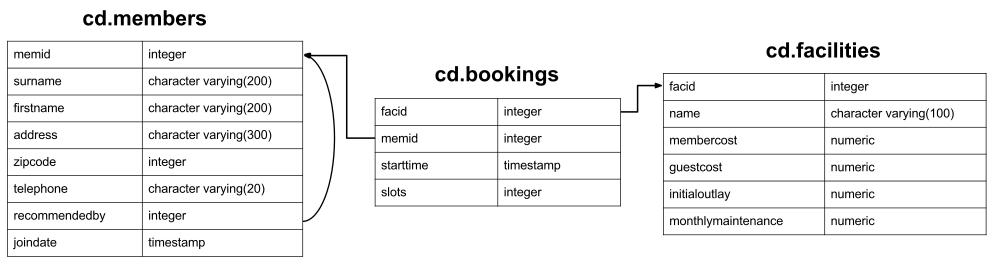
How can you produce an ordered list of the first 10 surnames in the members table? The list must not contain duplicates.Schema reminder ▼
Your Answer
Answers and Discussion Show
select distinct surname
	from cd.members
order by surname
limit 10;
There's three new concepts here, but they're all pretty simple.
- Specifying DISTINCT after SELECT removes duplicate rows from the result set. Note that this applies to rows: if row A has multiple columns, row B is only equal to it if the values in all columns are the same. As a general rule, don't use DISTINCT in a willy-nilly fashion - it's not free to remove duplicates from large query result sets, so do it as-needed.
- Specifying ORDER BY (after the FROM and WHERE clauses, near the end of the query) allows results to be ordered by a column or set of columns (comma separated).
- The LIMIT keyword allows you to limit the number of results retrieved. This is useful for getting results a page at a time, and can be combined with the OFFSET keyword to get following pages. This is the same approach used by MySQL and is very convenient - you may, unfortunately, find that this process is a little more complicated in other DBs.
Look up the SQL keywords DISTINCT, ORDER BY, and LIMIT.
Keyboard shortcuts:
- Alt-h: Show/Hide Help menu
- Alt-r: Run query
- Alt-x: Run selected text as query
- Alt-s: Run query by cursor (delimited by whitespace/semi-colon)
Other hints:
- You can double click on each of the panes of Expected Result/Your answer to quickly resize them.
- If you have trouble remembering the database schema, you can leave this popup open while you work on your answer.
- Don't forget to use the hint button if you're stuck!